
A table management system that knows your real room
Kolshi shows your own floor plan live, so your hosts see which tables are free, booked or seated, seat walk-ins on the right table and never give one table to two parties.
Part of Kolshi Table, from AED 299 a month. On iPad, iPhone and in the browser.
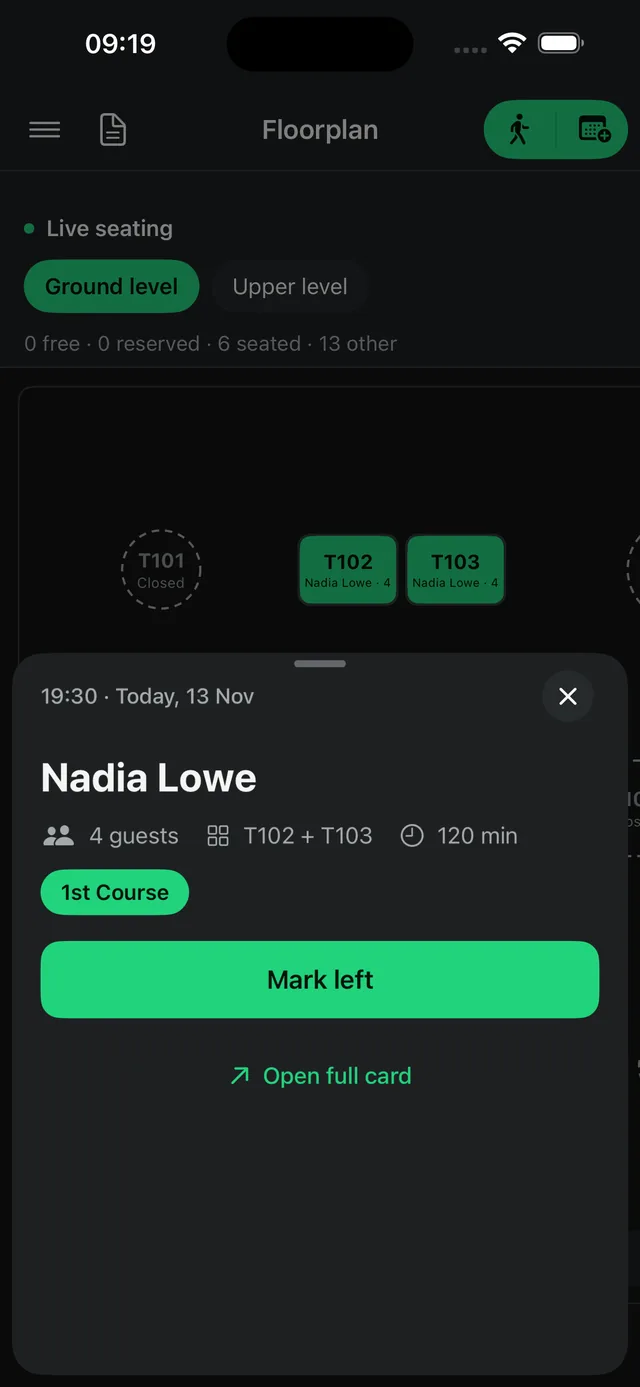
Fictional guests.
What is a table management system?
A table management system is the part of a restaurant's reservation software that tracks every table during service: which are free, which are booked and for when, who is seated and for how long. It lets a host seat a walk-in or move a party without checking a paper plan, and it stops the same table being given away twice. In Kolshi it is built into the restaurant reservation system, so online bookings, phone bookings and walk-ins all land on the same floor plan.
What it does during service
- Live floor plan. Your rooms and levels, table by table, with free, booked and seated tables told apart at a glance.
- No double seating. Kolshi will not seat a new party at a table that is still occupied, even when the earlier visit runs late.
- Joined tables. Join tables for a larger party. If a table can't be used, Kolshi says why.
- Move a party. Move guests to another table from the floor plan. If that table is taken, Kolshi asks before anything changes.
- Walk-ins on the floor. Take the best free table or pick one on the plan, and seat the party straight away.
- Late arrivals. A booking that hasn't arrived 15 minutes after its time no longer holds its table against a party you seat now. Free tables are offered first.
- Blocks and blackout dates. Close tables or whole days for events without losing the bookings you already have.
Your room, drawn the way it is
The plan in Kolshi is your own: your rooms, your levels, your table names and the number of seats at each. We set it up with you, and you can change the layout when the room changes. Real times offered on your booking page come from these tables, so a guest is only offered a time when a table that fits is free.
One floor, on every screen
The host at the door, the manager on the floor and the owner in the office see the same tables at the same moment. Kolshi runs on an iPad at the host stand and an iPhone in a host's hand with the Kolshi app, and in the browser on any computer or Android device.
The right table for a walk-in, in seconds
Choose the party size and the area. Kolshi offers the best table that is actually free and tells you how long the party can stay before the next booking.
Walk-ins and waitlist →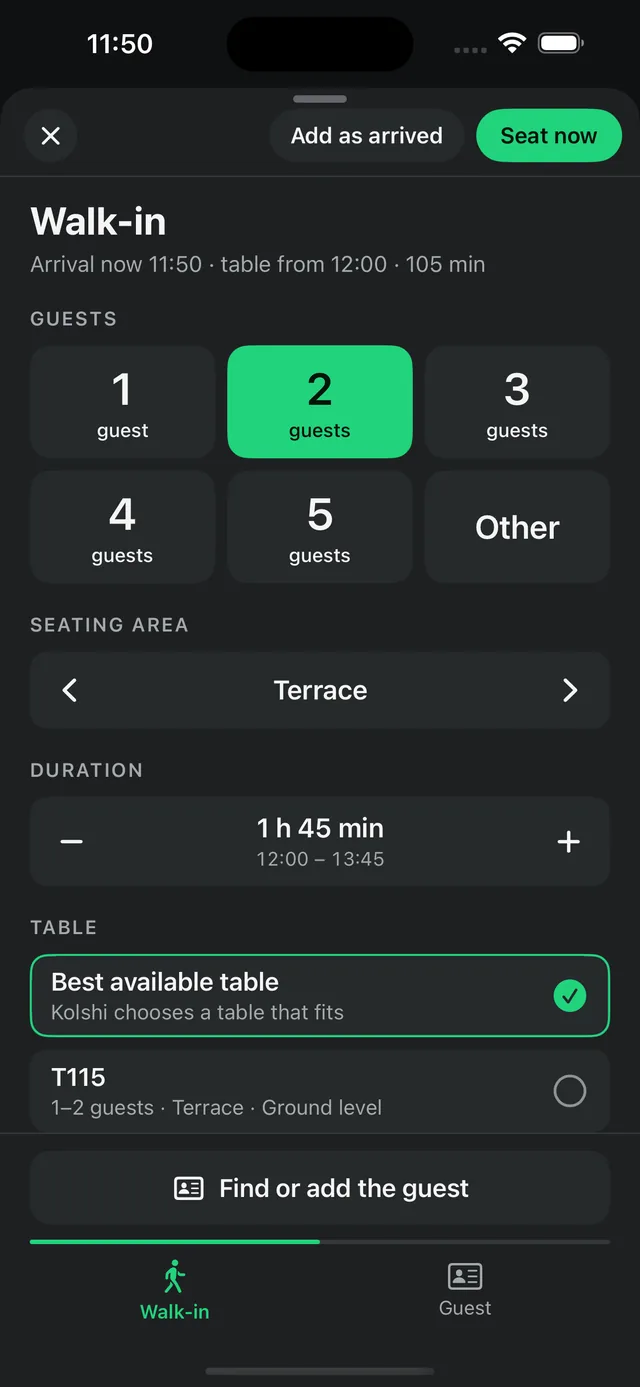
Fictional guests.
Questions about table management
What is the difference between table management and a reservation system?
A reservation system takes and stores bookings. Table management is what happens during service: seating, moving and joining tables on a live floor plan. In Kolshi they are one system, so a booking made online appears on the plan without anyone copying it over.
Can I join tables for a big group?
Yes. Join tables for a larger party from the floor plan. Kolshi tells you if a table can't be used, and why.
Does it work for a restaurant that mostly takes walk-ins?
Yes. You can mark areas as walk-in only, seat walk-ins straight from the floor plan and keep a waiting list. Bookings and walk-ins share the same tables, so neither breaks the other.
Can two hosts use it at the same time?
Yes. Every change is saved to your restaurant's Kolshi account and shows on every device the team uses, so both hosts see a table the moment it is taken.
Which devices does it run on?
iPad and iPhone with the Kolshi Reservations app from the App Store, and any computer or Android device in the browser.