
The restaurant reservation app for your host stand
Kolshi Reservations puts tonight's bookings, your floor plan and your walk-ins on the iPhone in a host's hand and the iPad at the door. Every change shows on every device straight away.
Free to download. Works with your restaurant's Kolshi account. iPhone and iPad, iOS 17 or later.
Fictional guests.
What is a restaurant reservation app?
The words cover two different things. Some reservation apps are for diners, who use them to find and book a table. Others are for the restaurant's own team, who use them to run the door and the floor during service. Kolshi Reservations is the second kind: an app for hosts, managers and owners, connected to the same restaurant reservation system that takes your online bookings.
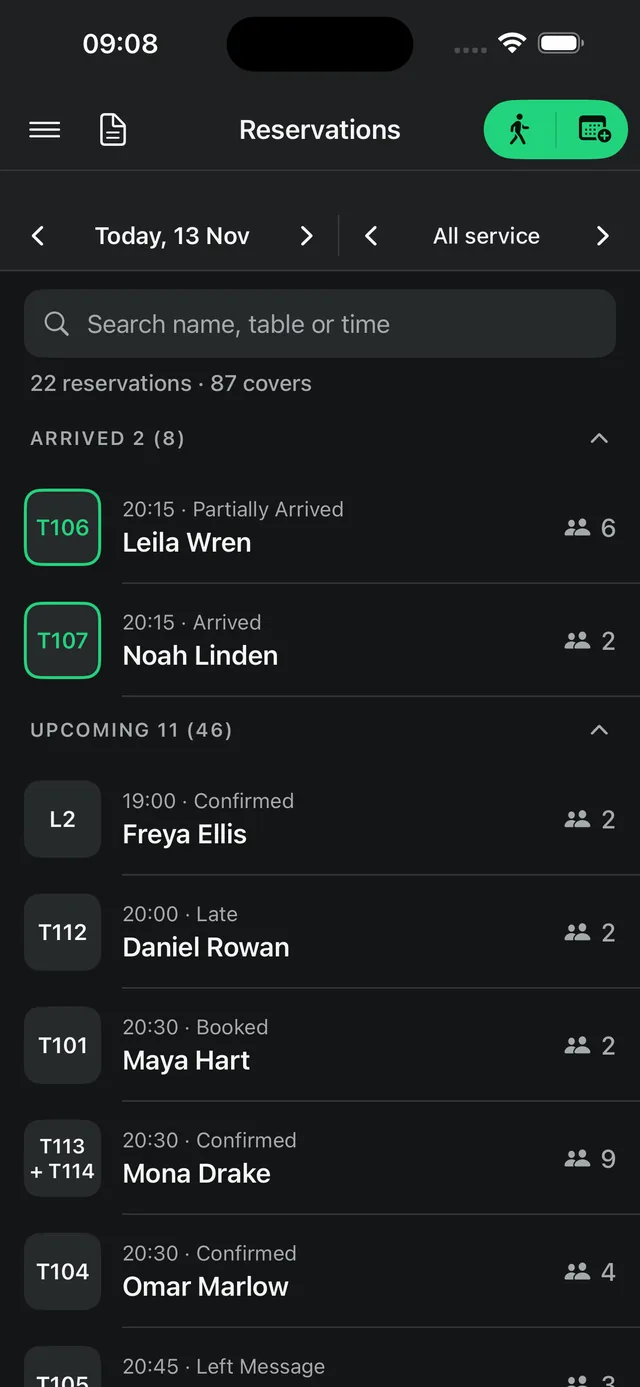
Tonight, in the order guests arrive
Today's list shows who has arrived, who is seated and who is still to come, with table and party size on every row. Search by guest name, table or time.
- Arrived, seated and upcoming at a glance
- Mark a party arrived, seated or left in one tap
- Change party size, status and table inside the reservation card
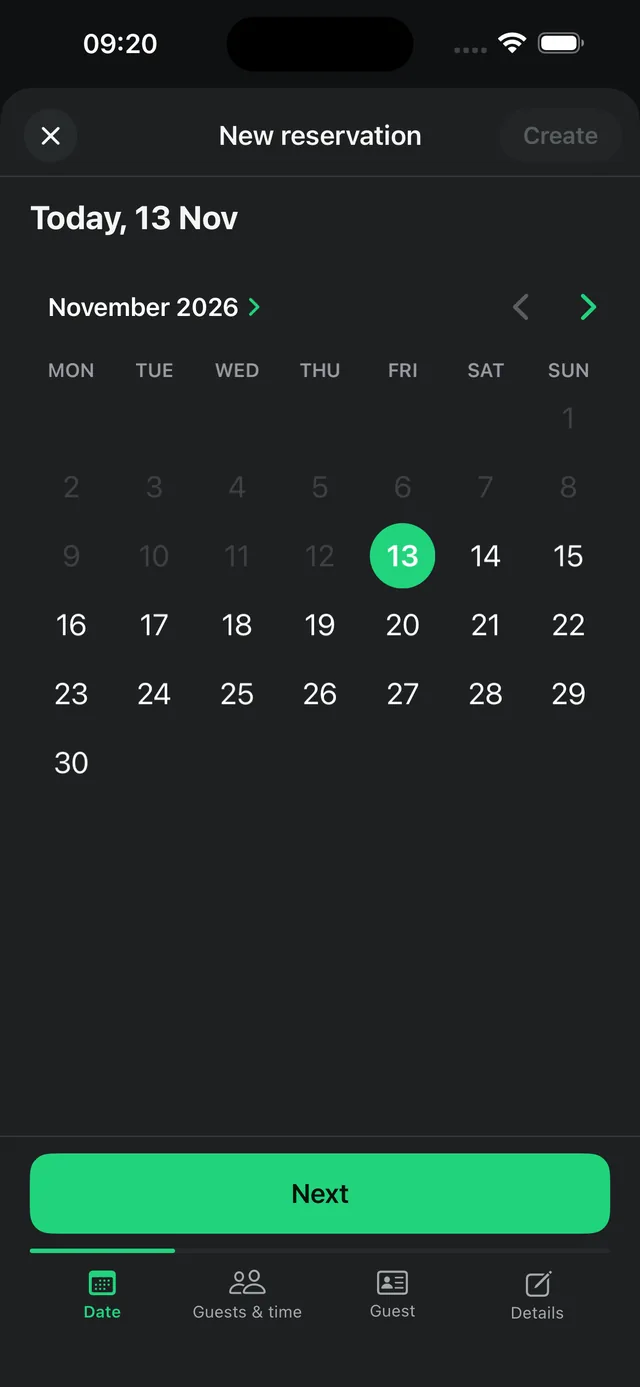
A new reservation takes four short steps.
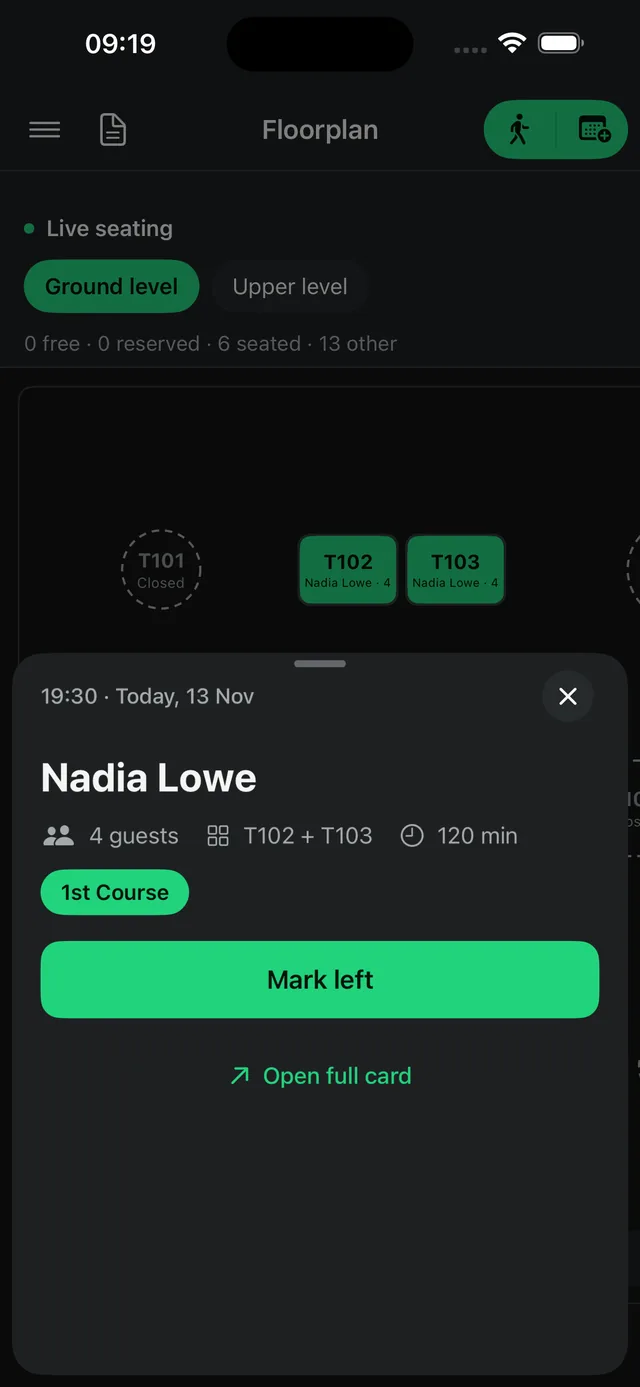
Your real room, table by table
See which tables are free, booked or seated. Pinch to zoom, tap a table to see the party, move a party to another table or join tables for a larger group.
- Kolshi only offers tables that are actually free
- Join tables for a big party
- On iPad the card opens beside the floor plan
Fictional guests.
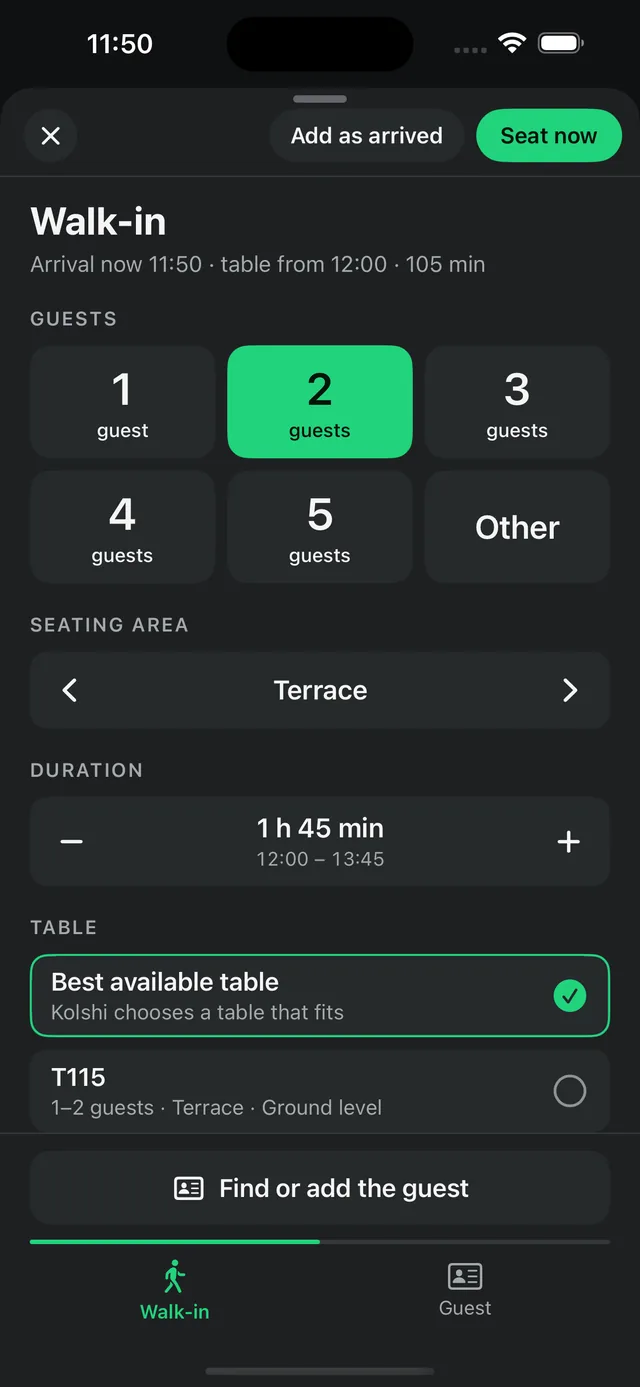
Seat a walk-in in a few taps
Choose the party size, take the best free table or pick one on the floor, and seat them straight away. Find a returning guest by phone, name or email, so nobody is entered twice.
- Best free table offered first
- Add as arrived, or seat now
- Guest search across your whole guest list
Fictional guests.
Built for a team, not one phone
Everyone sees the same night
A change on one iPhone shows on the iPad at the door and on the computer in the office.
The right access for each role
Each person sees only the restaurants and details their role allows. A host can run the floor without seeing guests' phone numbers.
Sign in with your work email
The owner or manager adds you in Kolshi. Nothing to set up on the device.
iPhone and iPad
One app for both. Free on the App Store, for iOS 17 or later.
Android and computers
The same account works in the browser at staff.kolshi.ae on Android phones, tablets and computers.
Guest details stay with you
No advertising and no tracking in the app. Kolshi app privacy
Questions about the Kolshi app
Is the Kolshi app free?
The app is free to download. It works with a restaurant's Kolshi account, and Kolshi Table costs from AED 299 a month for one restaurant.
Does it work on iPad?
Yes. Kolshi Reservations is one app for iPhone and iPad. On iPad the reservation card opens beside the list or the floor plan, which suits a host stand.
Is there an Android app?
Not yet. On Android phones and tablets your team uses Kolshi in the browser at staff.kolshi.ae, with the same account and the same bookings.
Can guests book a table with this app?
No. The app is for the restaurant's team. Guests book on your own booking page, which you add to your website, Google profile and Instagram.
How do I get access?
Ask the owner or manager of your restaurant to add you in Kolshi, then sign in with your work email. Help is on the Kolshi app support page.